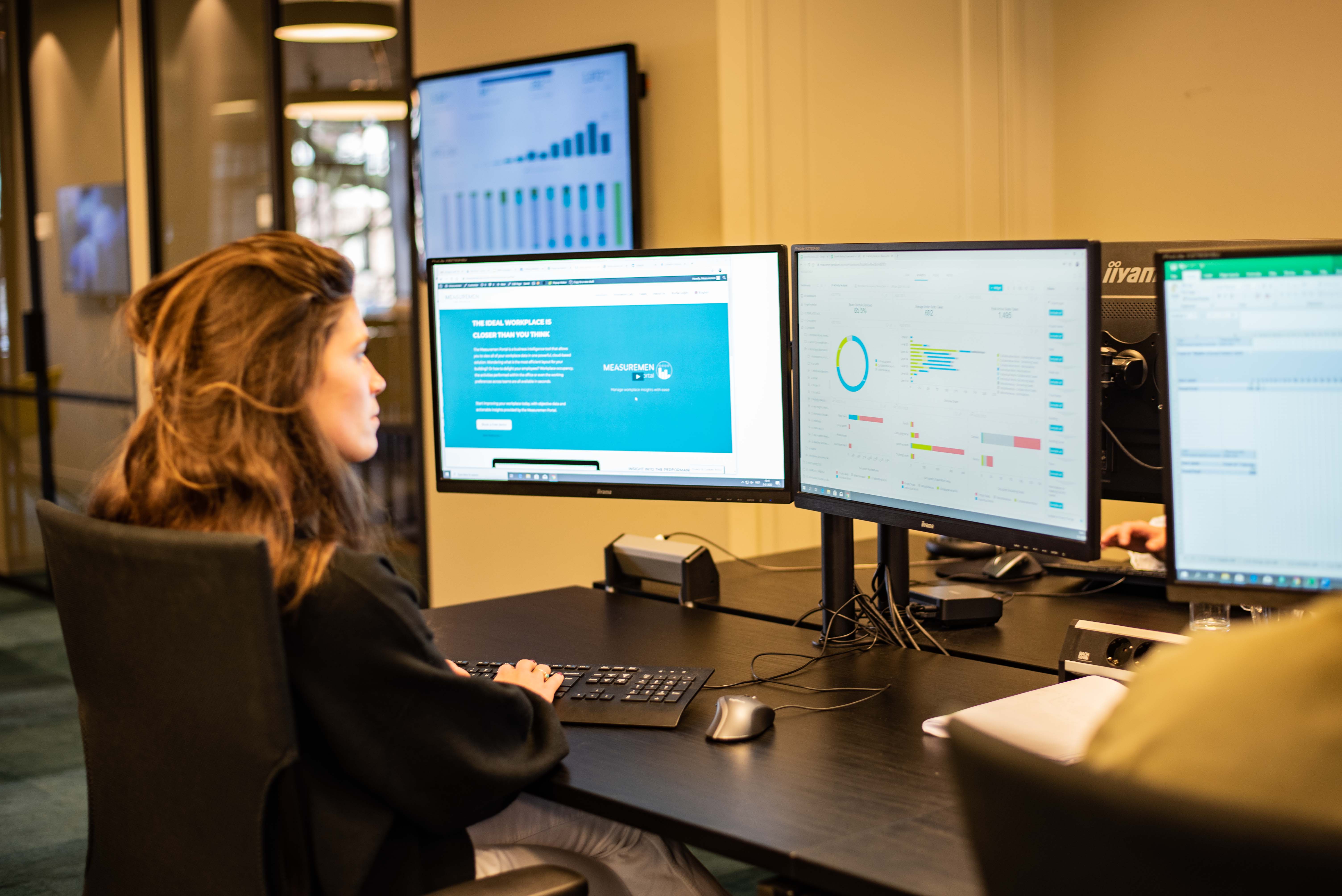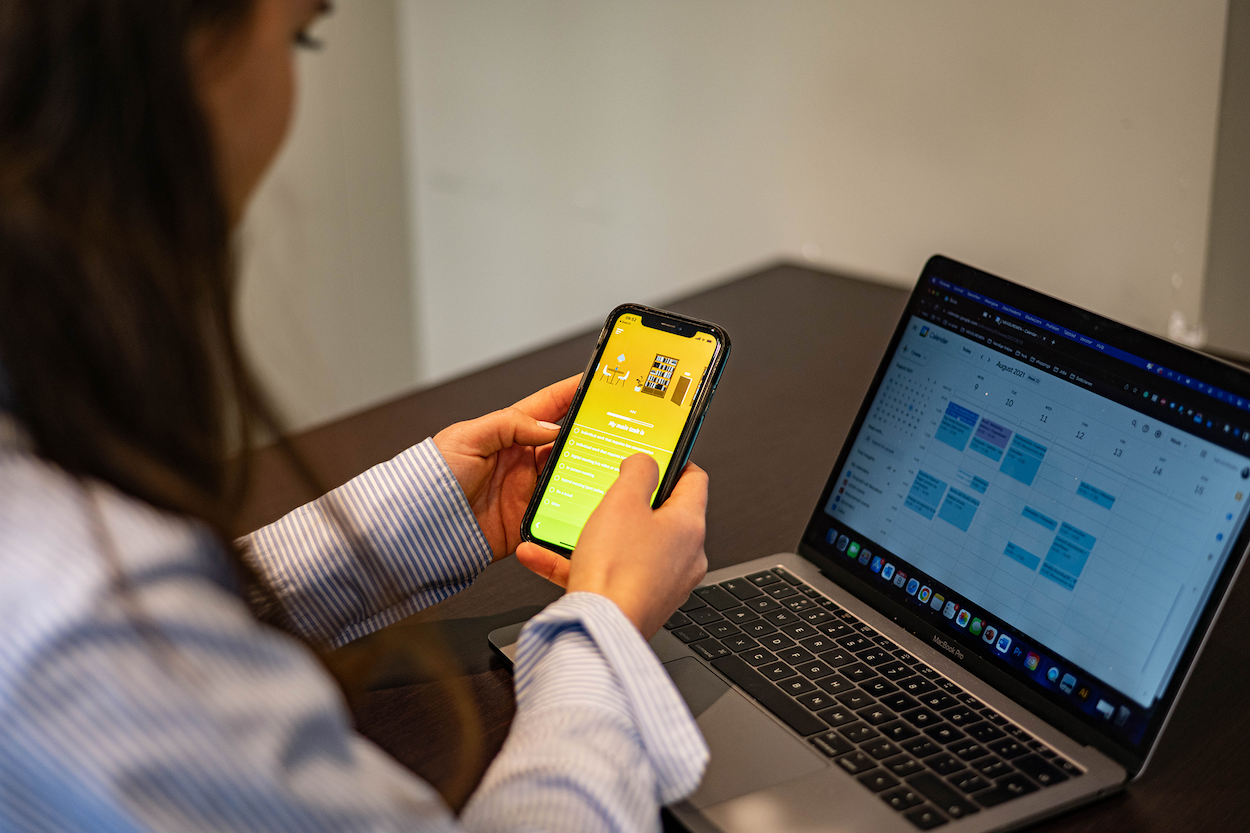
Every office has empty desks, quiet meeting rooms, and hallways that fill up only at certain hours. Most companies guess at these patterns, relying on surveys or a manual walk-through. Workplace occupancy sensors remove the guesswork by measuring how people actually use a space and turning that data into decisions you can act on.
Why surveys overestimate office occupancy
Ask employees how busy the office feels, and you will usually hear a number that is too high. Surveys often put occupancy at 70% or more. Sensors tell a different story. Measured around the clock, real occupancy in most offices we measure sits closer to 12%.
This gap exists for a simple reason. People remember busy moments, like a packed Monday morning, and overlook the long periods when desks remain unused: nights, weekends, holidays, and every coffee break or meeting. A sensor counts every hour and gives you a number based on fact, not memory.
That number matters because it changes how you plan. Once you know true occupancy, you can right-size your office, reduce wasted space, and direct your real estate budget toward what matters.
How do workplace occupancy sensors work?
Most workplace occupancy sensors use passive infrared (PIR) technology. The sensor watches for infrared heat, the kind a human body gives off. When a person walks into range, the sensor picks up a small shift in heat and logs the space as “occupied.” When that person leaves, the heat reading drops and the sensor logs the space as “empty.”
This method has a few clear advantages:
- It responds to people, not general movement. The sensor looks for body heat, so everyday motion like a chair rolling past does not register. Other heat sources, such as a heater or warm airflow, can still interfere, which is why placement matters.
- It uses almost no power. PIR sensors stay dormant until they detect a change, so a single battery can run one for five to seven years.
- It protects privacy. The sensor uses no camera and captures no images, only a heat reading, so it can tell you a desk is in use without identifying who is sitting there.
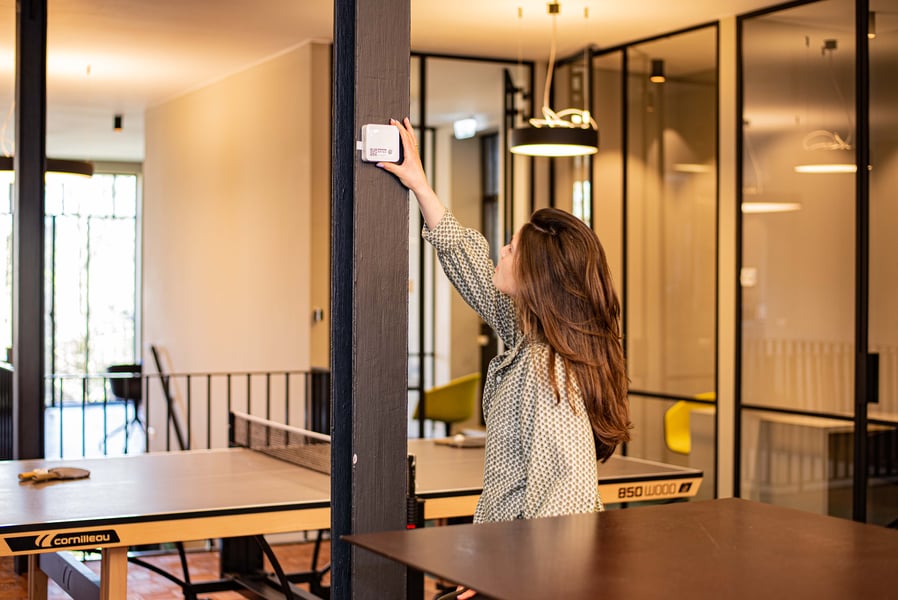
A typical desk sensor mounts underneath the desk and reports data every five minutes over a wireless network such as LoRaWAN. The dashboard then shows, in real time, whether a desk, room, or floor is in use.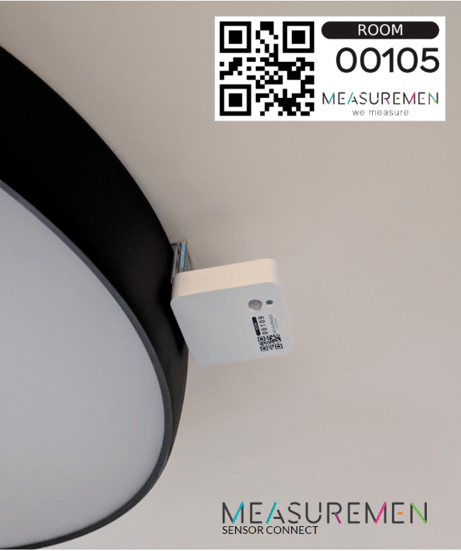
What to look for in a workplace occupancy sensor
Not all sensors perform the same way. A few factors separate a reliable sensor from one that gives you bad data.
Accuracy: a strong workplace occupancy sensor should hit at least 98% accuracy over a 24-hour period. It must measure at least every five minutes and filter out any signal that does not come from a person. The best sensors combine body heat detection with movement detection, such as leg movement under a desk, to rule out false readings.
Placement: improper installation is one of the most common causes of sensor failure. The sensor must cover the right area: too narrow and it misses activity at the edges, too wide and it captures the next room. Nothing should block its view, and it should sit away from heat sources like a heater with a moving vent, which can trigger a false reading. Thick walls, elevator shafts, and microwaves can also weaken a wireless signal.
Frequency: a human observer walking the floor can check a space once an hour at best. A sensor can check every five minutes, giving you 12 times more data and letting you catch patterns a manual count would miss.
Long-term reliability: a sensor that needs constant attention is not worth installing. The best workplace occupancy sensors run for five to seven years on a single battery, with no battery change or technician visit needed. It also pays to rely on proven technology instead of new, untested components.
Types of workplace occupancy sensors
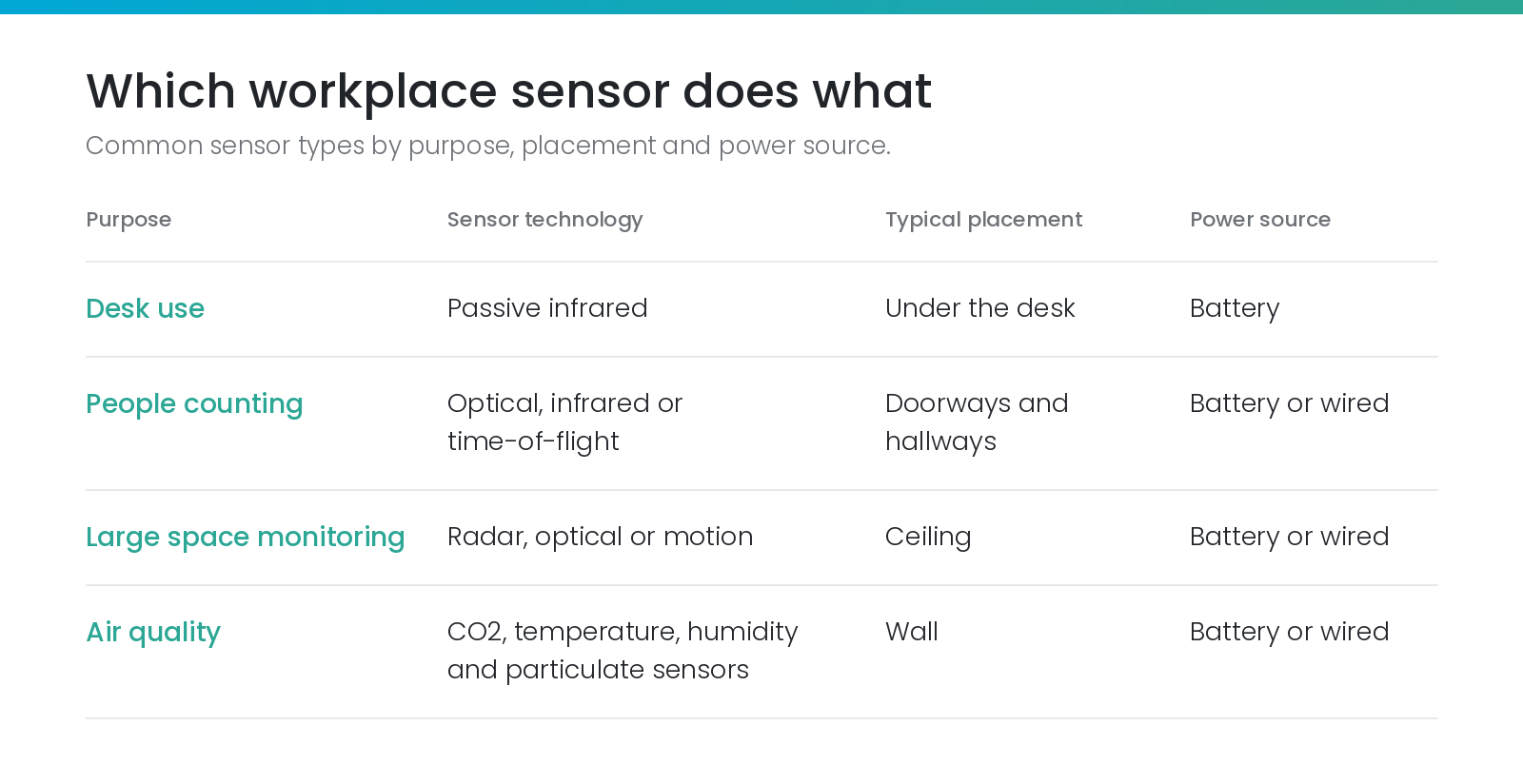
“Workplace occupancy sensor” is not a single product. It covers several sensor types, each built to answer a different question.
People counting sensors
People counting works best with infrared beams, optical sensors, or time-of-flight sensors mounted above a doorway. Infrared beams are accurate but can miscount when several people pass at once. Optical sensors count from an overhead image and delete it right away to protect privacy, though it is worth checking how the provider secures data as it travels over the network. Time-of-flight sensors avoid privacy concerns altogether by measuring how long light takes to bounce back.
Sensors for meeting rooms and open spaces
Large spaces, like meeting rooms and open work areas, typically rely on ceiling-mounted motion sensors. Newer radar sensors cover more ground with fewer devices and raise no privacy concerns, since radar only detects presence and movement, not identity. Radar sensors often need a wired power supply and a network connection, so factor that into your setup.
Air quality sensors
Air quality sensors track CO2, temperature, humidity, and particulate levels. Airflow from HVAC systems, windows, and doors can throw off a reading, so these sensors need careful positioning to stay accurate.
When you choose a sensor, weigh cost, accuracy, ease of management, and privacy against each other. More sensors generally mean better accuracy but a higher price tag, and optical sensors can sharpen accuracy but raise more privacy questions than infrared or radar.
What workplace occupancy sensor data reveals
Once you install workplace occupancy sensors, patterns emerge fast.
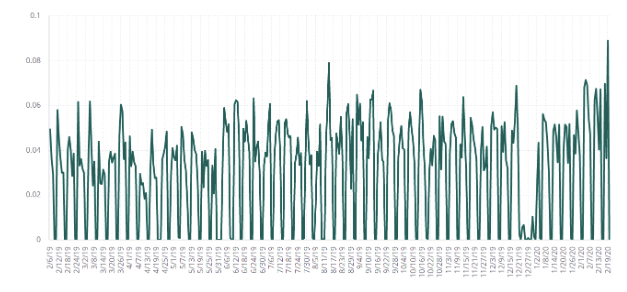
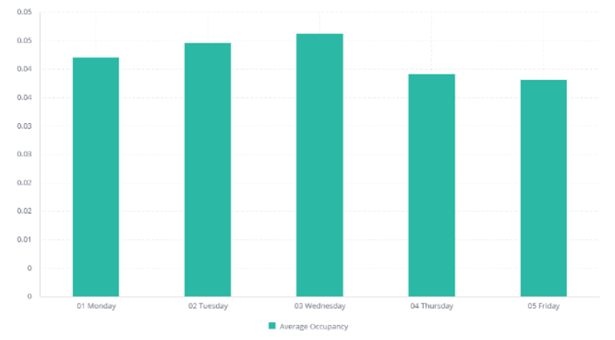
Weekly rhythms appear almost immediately. Offices tend to sit empty on weekends and reach peak use on specific weekdays, often Tuesday and Wednesday.
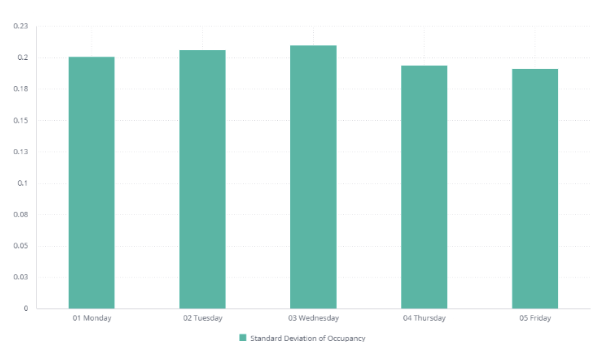
Standard deviation shows how much occupancy swings around its average, which tells you how predictable a day is. A Friday that swings between 10% and 60% is much harder to plan for than a Tuesday that holds steady around 40%.
Day-to-day patterns also repeat. If today’s occupancy sits at 50%, tomorrow’s is likely close, though the connection fades fast after a day or two. The same holds across weeks: this Monday tends to predict next Monday, but the link weakens further out.
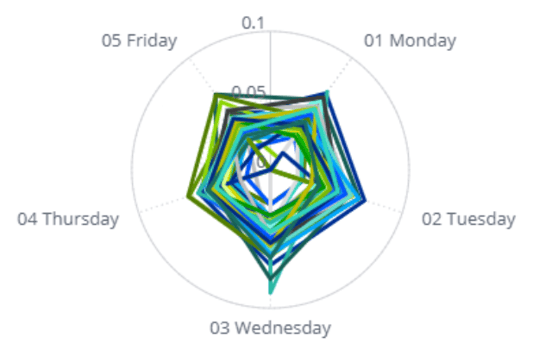
Seasonal rhythms appear over a full year of data. Arrival times often shift earlier in summer and later in winter, and the first months of the year tend to run busier. Sensor data can also flag one-off events, like a holiday party or a stretch of downtime. Because these rhythms differ by organization, the most useful model is built on your own historical data.
How to use occupancy sensor data
Data alone does not solve a problem. It becomes valuable only when you use it to make a change.
If employees book a meeting room constantly but sensors show they rarely use it, that signals a need to fix the booking process. If a space sits empty during certain hours, you can shift activities or repurpose it. Sensor data also lets you test a change directly: roll out a new policy, then check whether occupancy improved.
Beyond space planning, workplace occupancy sensors support broader goals. Pairing occupancy data with air quality readings helps keep CO2 and humidity in a healthy range, supporting employee focus and comfort.
Tracking occupancy also lets you power down lighting, heating, and cooling in unused areas, cutting energy waste. Maintenance improves too: a sensor tracking restroom or kitchen use tells facilities teams when a space actually needs cleaning.
How to get started with workplace occupancy sensors
Workplace occupancy sensors give you a fact-based view of how your office actually works, not how people assume it works. That view lets you plan real estate efficiently, support employee well-being, and back every decision with evidence instead of a guess.
The right starting point depends on your goals. Begin with desk sensors to understand desk use, or focus on large-space sensors if meeting rooms are the problem. Most companies start with a small pilot, test the results, and expand once they see the value.
See how workplace occupancy sensors could work in your office. Contact our team to discuss the right setup for your space.